Make the wait worth it.
eldi suggests a small activity for the time you spend waiting on your AI, a build or a meeting.
How it works
Connect eldi
Add it once as a connector. Sign in and you are set.
Keep working
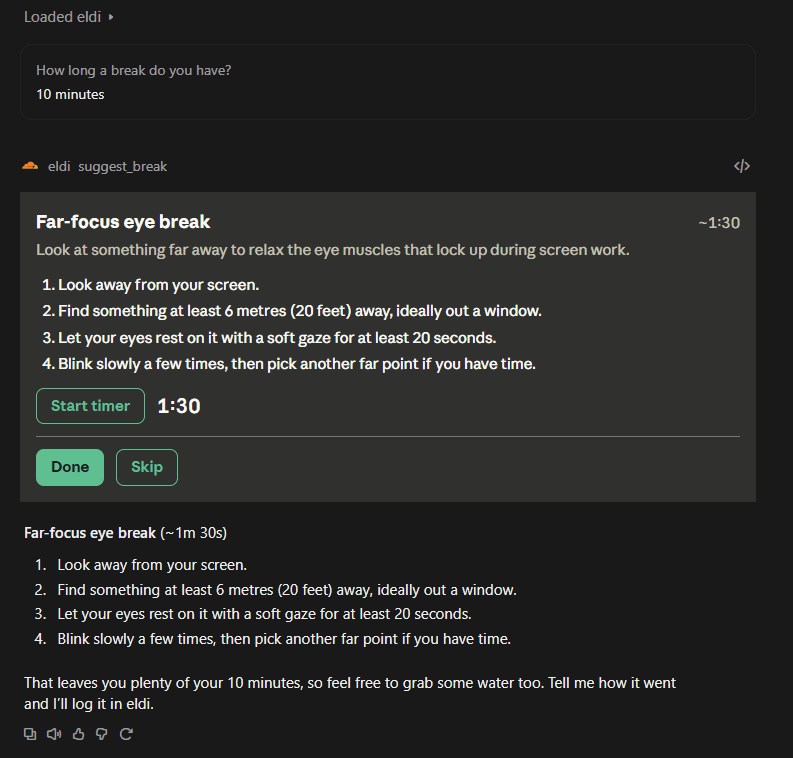
While your AI is busy, eldi suggests something that fits the wait.
Take the break
Mark it Done or Skip, and optionally say how it felt.
What you get
Fits the wait
Every suggestion can start in seconds, finish inside the downtime and be done where you sit.
Small and varied
Stretches, breathing, eye rests, a few push-ups. Coarse activities you interpret your own way.
Remembers you
See what you did last time, such as “Last time: 12 reps, felt hard”.
Gentle on your body
After something strenuous, the next suggestion is low impact.
Free now, more control later
eldi is free at launch. Further options for tuning what it suggests are planned, and we will say so before anything changes.
Questions
What does it cost?
eldi is free at launch. More control over how suggestions are chosen may come later, with notice.
Which apps does it work with?
Anything that supports remote MCP connectors, such as claude.ai, plus Claude Code and other MCP clients through local setup.
What does eldi know about me?
You sign in, and eldi stores your break history and settings in your account, along with your verified email address. It does not store your name. The privacy policy has the details.
Will it interrupt my work?
No. It suggests at most one activity while your AI is already busy, and skips short waits.